Frieve Preview Audio Player Frieve Preview Audio Player
The Frieve Preview Audio Player is a player specifically designed for the purpose of auditioning audio systems. It allows audiophiles to quickly play multiple tracks from specific positions, supporting precise comparisons and evaluations. > Open App
How to Use
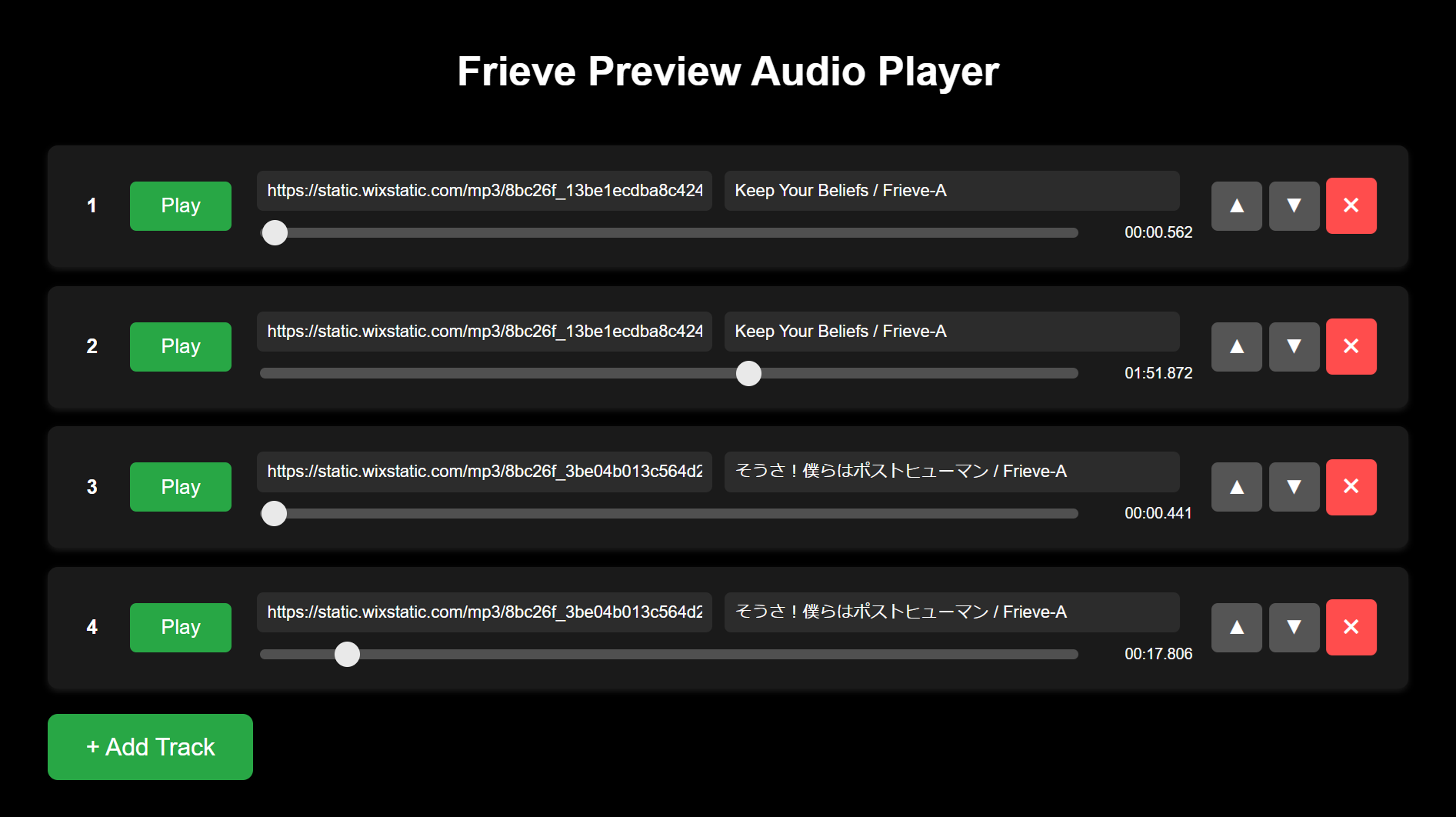
- Click the + Add Track button to add a new track to the playlist.
- Paste the full path of a local audio file or a URL of an online music file into the URI textbox.
- Enter any additional notes or comments about the track in the Memo textbox.
- Adjust the playback start position using the slider to set the desired point in the track.
- Use the triangle buttons (▲▼) to reorder tracks within the playlist. Click the ✖ button to delete a track.
- Press the spacebar to start or stop playback.
- Quickly play any of the first 10 tracks by pressing the corresponding number key (1-0).
- Bookmark the browser's URL to save and later restore your customized playlist.
Frieve Preview Audio Player は、オーディオシステムを試聴する用途に特化して設計されたプレイヤーです。オーディオ愛好家が複数の視聴曲を特定の位置から素早く再生できるようにし、精密な比較や評価をサポートします。 > アプリを開く
使い方
- "+ Add Track" ボタンをクリックして、プレイリストに新しいトラックを追加します。
- URI テキストボックスに、ローカルオーディオファイルのフルパスまたはオンライン音楽ファイルのURLを入力します。
- Memo テキストボックスに、トラックに関するメモやコメントを入力します。
- スライダーを使用して、再生開始位置をトラック内の希望するポイントに調整します。
- ▲▼ボタンを使ってプレイリスト内のトラックの順序を変更します。✖ボタンをクリックするとトラックを削除できます。
- スペースキーを押して再生を開始または停止します。
- 数字キー(1-0)を押すことで、最初の10トラックをすばやく再生できます。
- ブラウザのURLをブックマークすることで、カスタマイズしたプレイリストを保存し、後で復元できます。